

Ready for a better website?
Serious about growing your business online?
Define the commercial problem before choosing a visual direction.
Audit pages, rankings, enquiries and user paths before changing the structure.
Classify existing content as preserve, improve or remove.
Give each important page one clear search and conversion responsibility.
Preserve valuable URLs or redirect them to close equivalents.
Test forms, mobile layouts, metadata and analytics before launch.
Continue improving the website after launch rather than treating publication as the finish line.
A redesign can make a website look newer while leaving the underlying business problems untouched. It can also remove useful content, break high-value URLs and make qualified visitors work harder to request a quote.
The best website redesign practices treat a redesign as a controlled improvement project. Keep what already earns attention, trust or rankings. Replace what creates friction. Measure whether the new website performs better after launch.
Start With the Business Problem
A request for a more modern website is rarely a sufficient redesign brief.
A contractor may need to generate more enquiries from profitable service areas. A consulting firm may need to explain a complex offer without relying on sales calls. A B2B company may need stronger proof before prospects will book a demonstration.
Those are different problems. They require different page structures, content and calls to action.
Before design begins, write down:
The audience the website must attract.
The action that audience should take.
The obstacle currently stopping that action.
The evidence the new website must communicate.
The metric that will indicate improvement.
Useful redesign metrics include qualified form submissions, booked calls, calls from organic search, service-page conversion rate and engagement with project evidence. Traffic alone cannot tell you whether a redesign is attracting better prospects.
Turn a preference into an acceptance test
Consider an illustrative kitchen-renovation business, not a client result. Its owner wants the website to feel more premium, but its enquiry inbox also contains requests from areas it does not serve. Those are separate issues. The redesign brief should require service-area information before the enquiry form, relevant completed-project evidence and an optional location field that helps qualify the request.
The visual direction can still be ambitious. The acceptance test is whether a visitor can identify the service area and submit the right request, with the details reaching the team. After launch, compare the share of enquiries that fit the service area, not just the number of button clicks. This makes the decision testable without inventing a conversion target.
Audit Before You Remove Anything
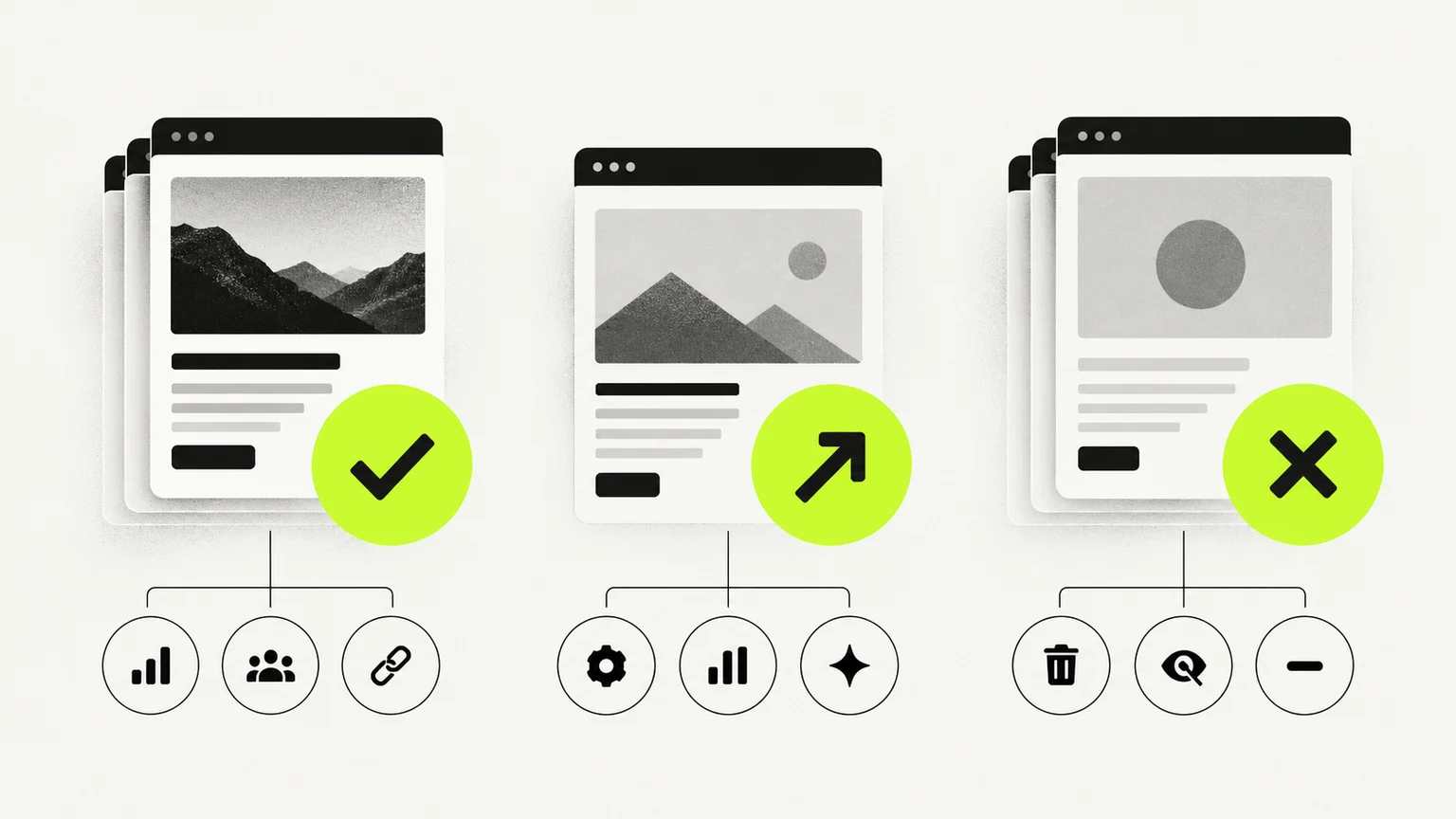
A current website contains evidence, even if the design feels outdated. Some pages may rank. Some messages may produce enquiries. Some backlinks may point to old resources. A visual redesign should not erase that value by default.
Review four areas before creating a new sitemap:
Search performance
Use Search Console performance reports for queries, impressions and clicks, and its Links report to investigate external links. Use your analytics and enquiry records for conversions and lead quality. Record current URLs, titles, descriptions and target queries. These are different sources of evidence; a search click is not a qualified enquiry.
Conversion paths
Test the website as a prospective client. Can visitors identify the service, location, proof and next step without searching through several pages? Check every form and telephone link.
Content quality
Identify duplicate pages, thin service descriptions, unsupported claims and useful material hidden inside weak layouts.
Technical condition
Record crawl errors, broken links, mobile problems, slow templates, indexing issues and tracking gaps.
A simple classification keeps the audit actionable:
Decision | Use it when | Practical action |
|---|---|---|
Preserve | A page ranks, converts or supports another valuable page | Retain its purpose and usually its URL |
Improve | The topic matters but the content or conversion path is weak | Rewrite, restructure or redesign it |
Remove | The page has no audience, value or unique purpose | Consolidate it and redirect when appropriate |
Do not remove a page merely because it looks old. Determine what it contributes first. Keep an audit sheet with the current URL, purpose, evidence, decision, destination, owner and acceptance test. Flag low-traffic pages that still serve customers, such as support instructions, before treating traffic as the only measure of value.
If two service pages address the same question, consolidation may be sensible. If they serve different buying decisions, a shared design is not a reason to merge them. Have the person who handles enquiries review the proposed structure before development starts.
Give Every Page a Clear Responsibility
Service-business websites often make the homepage carry too much weight. It tries to explain every service, serve every audience, display every project and rank for every keyword.
A stronger structure gives pages distinct jobs:
The homepage establishes positioning and routes visitors.
Service pages answer commercial questions about a specific offer.
Location pages address genuine regional relevance where applicable.
Project pages demonstrate process and appropriate evidence.
Articles answer narrower questions and guide readers to relevant services.
The contact page removes friction from the next step.
Navigation labels should reflect language customers understand. “Solutions” can work for a B2B platform, but “Roof Replacement” is clearer for a roofing company. Clarity should win over internal terminology.
For a more detailed service-business structure, review why many websites lose clients before the first scroll.
Build the Conversion Path Into the Structure
A call to action cannot compensate for unclear content. Before asking visitors to book, the page needs to answer four questions:
Is this service meant for my situation?
What problem will it solve?
Why should I trust this company?
What happens after I make contact?
Put the most decision-relevant proof close to the claim it supports. A testimonial about communication belongs near the process. A relevant project belongs near the service it demonstrates. Qualifications belong near claims that depend on expertise.
Use a primary action that matches buying readiness. “Request an estimate” may suit an established contractor. “Book a discovery call” may suit a consulting or B2B engagement. Secondary actions can help people who need more evidence, but they should not compete visually with the main path.
Protect SEO During the Redesign

A redesign can lose search visibility when useful content disappears, redirects lead to unrelated pages or launch settings prevent indexing. Even a carefully prepared migration can experience fluctuations while search engines process the changes.
Create a URL map containing every indexable current page and its planned destination. Preserve useful URLs where possible. If a URL must change, redirect it to the closest relevant replacement, not automatically to the homepage.
For pages changing address, Google’s site-move guidance recommends mapping old URLs to new destinations, implementing redirects and monitoring the move. If removed content has no suitable replacement, return a genuine 404 or 410 rather than redirecting every retired URL to the homepage. Update internal links to point directly at their final destinations.
Also preserve or intentionally improve:
Page titles and descriptions
Heading structure
Internal links
Image alt text
Canonical settings
Structured data where valid
XML sitemap coverage
Robots directives
Content should not be shortened simply to create a cleaner page. A useful service page can still look restrained when its information is organized with strong hierarchy and progressive disclosure.
Design for the Mobile Decision
Mobile redesign is not desktop design compressed into a narrow column.
Review the order in which information appears. Check whether buttons can be tapped easily, forms use suitable field types and proof remains legible. Avoid oversized introductions that force the actual service explanation below several screens.
Performance also depends on implementation choices. Large media, excessive scripts and uncontrolled animations can weaken an otherwise good Framer or WordPress build. Platform choice helps, but disciplined development matters more.
Check use, not just appearance
Navigate the main customer journey with a keyboard. The current focus should remain visible, menus should open and close predictably, and no overlay should trap the visitor. Zoom the page, check meaningful image alternatives and confirm that form labels and errors remain understandable. W3C’s Easy Checks is a useful starting point, but passing those initial checks is not a complete accessibility evaluation.
Use performance tests to locate problems, then look at real-user evidence where it is available. Core Web Vitals cover loading, responsiveness and visual stability. A fresh site may not yet have enough field data, so absence of a report is not proof of good performance. Record the device, page and test conditions when comparing versions.
Make Future Updates Easier
A redesign begins aging as soon as the team cannot update it consistently.
Create repeatable systems for service pages, articles, projects, testimonials and team profiles. Define image dimensions, heading rules and content fields. Decide who owns updates and how pages will be reviewed.
Choose a platform by testing the editing tasks your team will actually do. Ask an editor to update a service, replace an image and publish a draft using the proposed setup. Include custom integrations in that test: a straightforward page editor does not automatically make a booking or CRM connection easy to maintain. Businesses considering Framer can review our Framer website design services.
Test the Website Before Launch
A visual review is not enough. Complete a structured pre-launch check.
Launch checklist
Test every form and confirmation message.
Test telephone, email and scheduling links.
Review key templates on real mobile devices.
Crawl the staging website for broken links.
Confirm titles, descriptions and indexation settings.
Implement and test redirects.
Check analytics and conversion tracking.
Compress large images and review performance.
Proofread important service and contact pages.
Submit the new sitemap after launch.
Record a benchmark before publication. Without a baseline, the team cannot tell whether the redesign improved the website or merely changed it.
Decide what can stop the launch
Assign each critical check to a named owner and save the evidence. This suggested acceptance matrix separates business failures from preferences about spacing or colour:
Journey | Evidence to save | Stop launch when |
|---|---|---|
Enquiry form | Test request in the receiving inbox or CRM, plus the visitor confirmation | The request is lost, duplicated or sent to the wrong recipient |
Appointment booking | Test calendar event, correct timezone, meeting link and cancellation result | A blocked time can be booked or a confirmed appointment lacks its event |
Important old URL | Old address, response and final destination | A valuable page disappears or redirects to unrelated content |
Search access | Live page response, canonical, robots settings and sitemap entry | A page intended for search is still marked noindex or points at staging |
Mobile navigation | Device and viewport record with completed keyboard and touch journeys | Visitors cannot reach the service or complete the form |
Measurement | A distinguishable test enquiry in the agreed reporting destination | The team cannot tell real enquiries from repeated clicks or test submissions |
A green confirmation message alone does not prove that a form works. Follow the test request to its destination, check the fields arrived correctly and remove or label the test record afterward. If the website promises reminder emails, verify the scheduled reminder as well as the initial confirmation.
Agree a recovery plan before moving the domain. Record who can restore the previous release, where the redirect map is saved and how the team will detect missing enquiries. The point is to shorten the response to a failure, not to promise that launch cannot fail.
Plan for the First 90 Days
Launch data should inform the next round of work. Review search visibility, form quality, user paths and performance problems. Improve weak pages instead of immediately adding more pages.
In the first days, check delivery failures, important URLs and unexpected indexing restrictions. Over the following weeks, review query and landing-page changes alongside qualified enquiries. Compare complete periods of similar length, and account for seasonality, campaigns and changes in the service offer. A small business may need a longer observation period before lead-quality trends become useful.
Keep a short decision log: what changed, which problem it addressed, what evidence you expected and what actually happened. If visits rise but qualified enquiries fall, investigate the mix of visitors and the enquiry journey before declaring success. A visually preferred version is not automatically a better commercial version.
This is where an ongoing growth model becomes useful. The team can prioritize changes based on actual behavior rather than opinions collected during the initial project.
If you are still establishing scope, our guide to website redesign cost explains the factors that tend to change project complexity. You can also review our Growth Partner Plans when you need continued website support and improvement after launch.
Next Steps
The best website redesign practices are less exciting than choosing a visual style, but they are more valuable. Audit what exists. Set commercial goals. Protect search equity. Give every page a job. Test the complete customer path.
The result should make the business easier to understand, trust and contact. We can help you assess the current site through our Framer website design services, starting with what deserves to stay and what needs to change.


